One‑Stop Upgrade Management
Manage current and future upgrades in one place with end‑to‑end progress tracking, status visibility, and centralized control across systems.
Automate complex upgrades with ready-to-use upgrade chains that deliver faster, more predictable, and fully streamlined upgrade cycles.
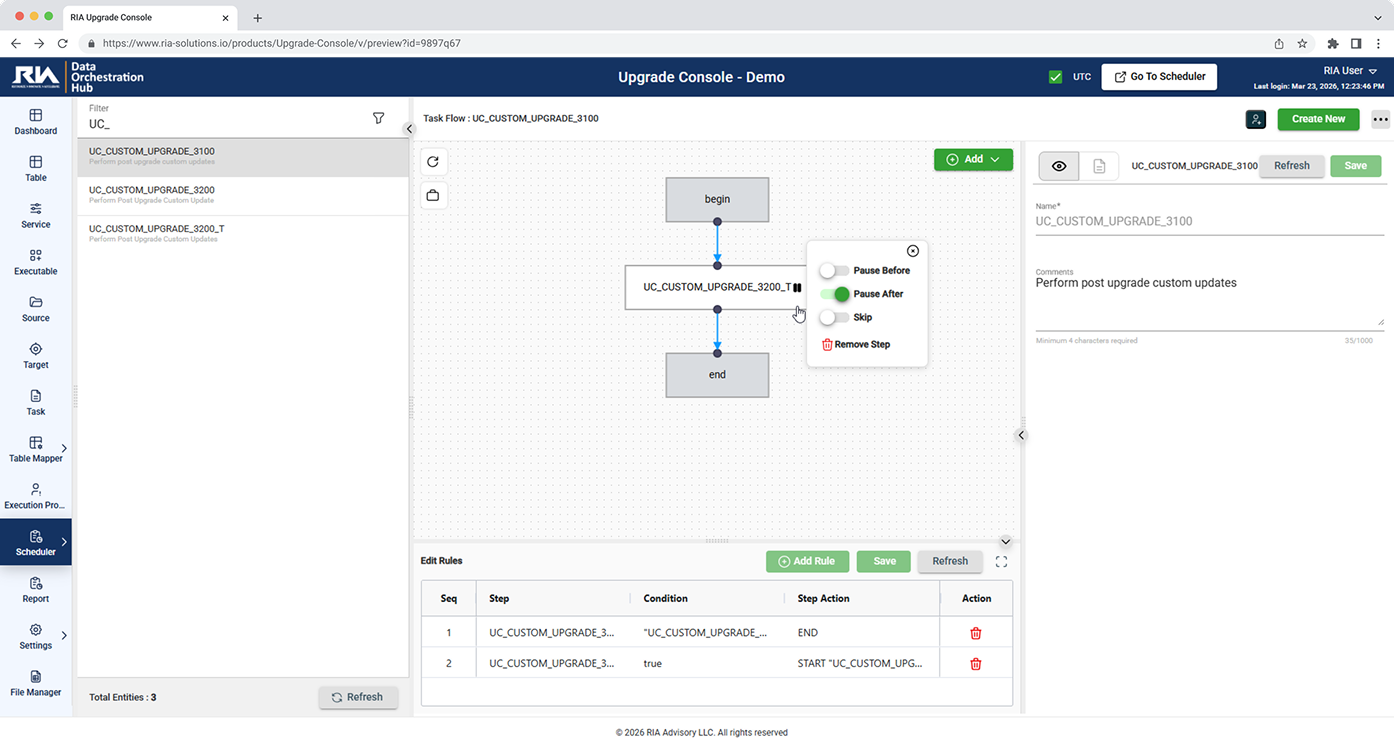
The recordings below are the product itself — no mock-ups, no staged screens.
Monitor, run and configure your upgrade steps easily. You have full control of each step in your workflows, you can nest them. You also have the option to pause or skip any or all of the steps in your workflow as needed.
Explore key featuresDive deeper into the outcome of your upgrade runs by setting up the File Manager to point to any directories of your run execution. This is especially helpful when you need to check the run activities in detail.
Explore key featuresPre-Configured upgrade chains with checkpoints, exception handling, reconciliation , reporting & logging.
Perform pre-requisite checks (including OS version & hardware specs) before proceeding with upgrade.
The tool is fully configurable and can be quickly replicated across any environment, ensuring a consistent setup process.
Streamline complex upgrades with pre-configured chains, automated testing, and intelligent version management.
Manage current and future upgrades in one place with end‑to‑end progress tracking, status visibility, and centralized control across systems.
Run battle‑tested workflows with sequential steps, checkpoints, exception handling, reconciliation, and automated reporting/logging for governed execution.
Validate OS, hardware, database, and dependencies with prerequisite checks to verify compatibility early and prevent costly rollbacks.
Automate upgrade scripts and queries in sequence (with support for parallelization), reducing manual effort and error risk during execution.
Integrate with Test Automation to run regression suites, generate visual dashboards and reports, and support audit, compliance, and sign‑off.
Improve reliability with checkpoints, rollback and recovery, readiness checks that cut downtime risk, and parameterized/clonable setups for scalable deployments.
Upgrading an ORMB environment is tough, especially with many customizations. Upgrade Console simplifies it by letting you configure repeatable migration flows that work across development, testing, and production. As the process is refined, each run becomes more consistent and the upgrade becomes far smoother.

Built on our own Oracle delivery programmes — the screens, the batch jobs and the documents that generic tools never account for.
With fewer manual steps and errors accelerate timelines while reducing risk
Through automated reporting and logging that support compliance requirements
Through end‑to‑end tracking that provides visibility and control throughout upgrades
Join the leading enterprises that trust our platform to drive innovation, efficiency, and growth at scale.